

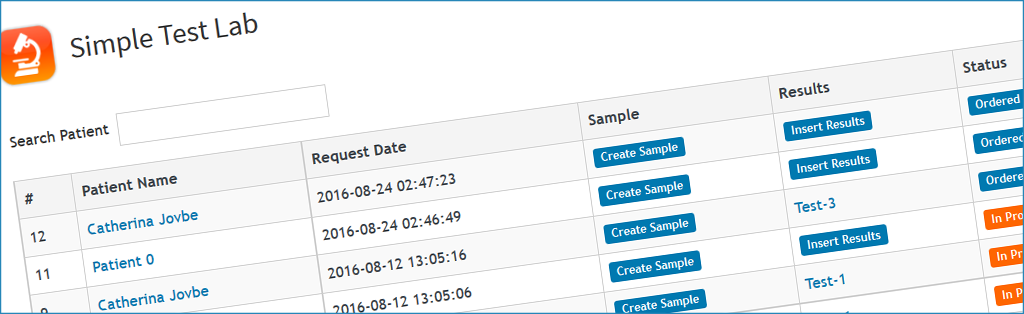
Here you have a connection with 3 modules in an efficient way: the AddressBook to handle the information of the patient or the requester, the sample module for your sample storage management, and a module for your reports & results.
The setup of Simple Lab Test is reduced to the essential functions:
- Select the category for your patient in Address Book module
- Select a custom module to keep patient’s results.

In your day-to-day uses, you just need to create or choose an existing patient when the test is ordered, and you can create a sample relative to this patient in your module Sample to have a trace of all the samples.
In the same time, fill your result report in your custom module.
At the end of your process, you just have to save and/or print the result form, and marked as Printed the Simple Test Lab entry.
Manage lab tests in 3 easy steps
[otw_shortcode_button href=”https://www.labcollector.com/labcollector-lims/add-ons/simple-test-lab/” size=”large” icon_position=”left” shape=”round” color_class=”otw-green” target=”_blank”]Learn More[/otw_shortcode_button]