9.3.4 Generate PO forms
- Do your order by following
 section 9.1.3.
 - Click on
 .
.

- Choose the PO template you want to apply to your purchase order. You can also add extra comments.
If you have several POs that are not formatted you can choose to “Apply same template to all” by checking this case.
|
|
|
PO numbers that have been assigned to items with different sellers cannot be processed. Ensure you have only items for the same seller included in a single PO. |

- Click on “Process selected changes”.
- If you want to download and see your purchase orders go back to your “Current Order List” and click on
 .
.
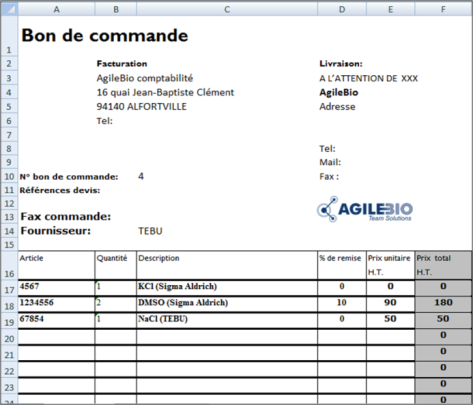
Example of Excel PO form after automatic formatting.