7.7.2 Import storage
Import storage via a CSV file is possible using the Import Storage function found in Admin 🡪 Storage 🡪 Import Storage.
|
|
|
Be aware that importing into a position that already has a tube assigned to that position will result in the original value being replaced by the new tube. |

Numeric positions (1,2,3…100) can be used instead of coordinates (A1, A2,…,J10).
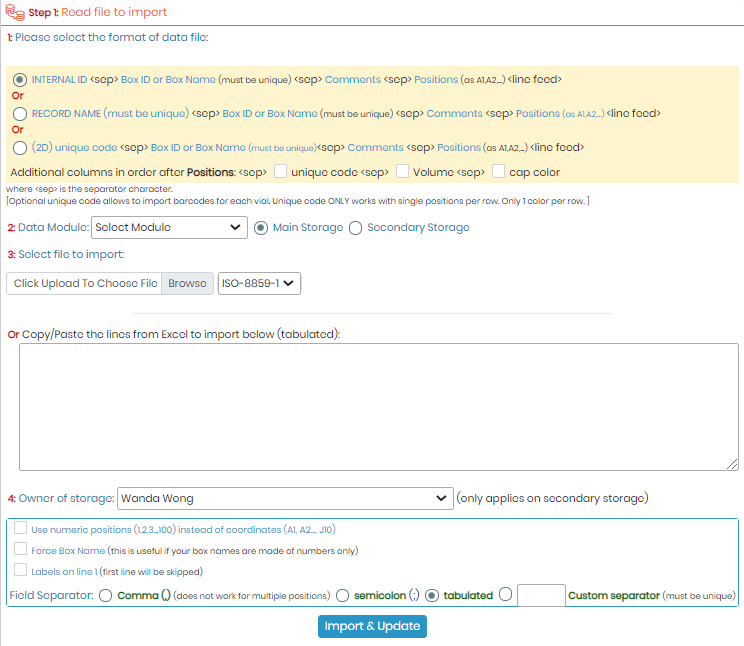
- Select format of the data to be imported.
- Select the module and if it’s to be added as Main or Secondary storage.
- Add your file and choose its encoding or Copy and Paste lines from Excel.
- Select the owner. You can also choose to use numeric positions instead of coordinates, force Box naming, specify that there are labels on the first line of your file/pasted lines, and finally choose the field separator of your file.
|
|
|
Import storage in Reagent & Supplies module works ONLY with Secondary storage. |

NEW!: Import system now has the option to verify if the imported box positions are free or already occupied.