3.2.1.2 Remove/Archive Users
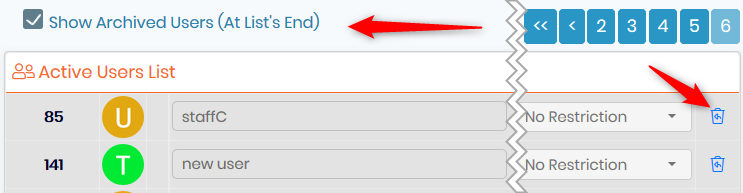
1. Admin 🡪 Users and Staff 🡪 Manage Users
Archive a user ID by clicking on the trash icon  and also archive associated contact by checking the box if this action is possible.
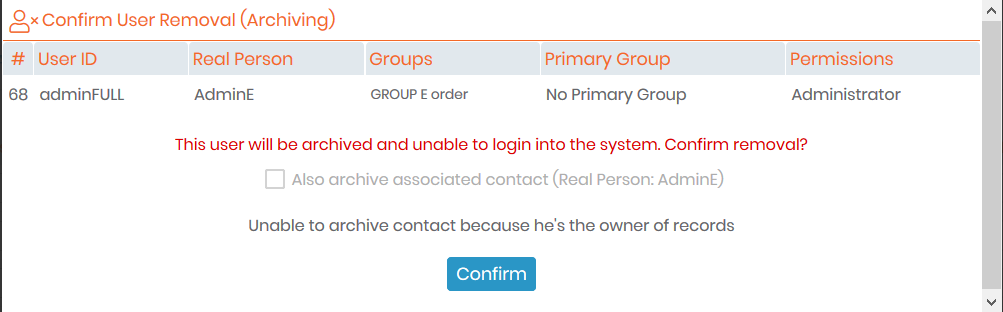
2. Admin 🡪 Users and Staff 🡪 Manage Lab Members
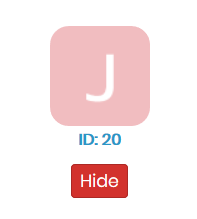
Archiving of the lab member is only possible when no data belongs to this member. You can transfer data from one member to another, see  section 7.5.3. Once there is no more data associated, you can hide the member by clicking on the “hide” red button below the staff ID.
|
|
|
Lab member profiles and accounts can only be archived but not deleted to ensure traceability and quality compliance. |

You can see old lab members in the Hidden/Old lab personnel tab through Admin 🡪 Users and Staff 🡪 Manage Lab Members and reactivate old member profiles if necessary.
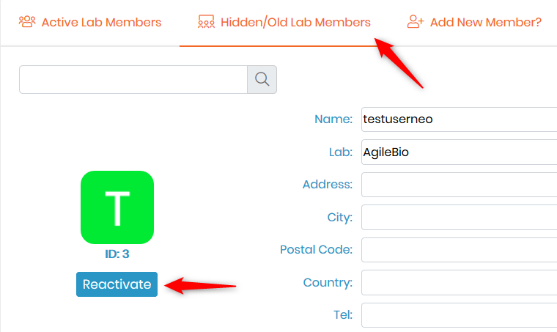
You can also reactivate an archived user account if necessary by checking the box “Show Archived Users (At List's End)” and clicking on the  icon.
icon.