10.4.3 Generic rack/Box import
This section allows you to define different sizes of boxes/plates filled with samples in an easy single form.
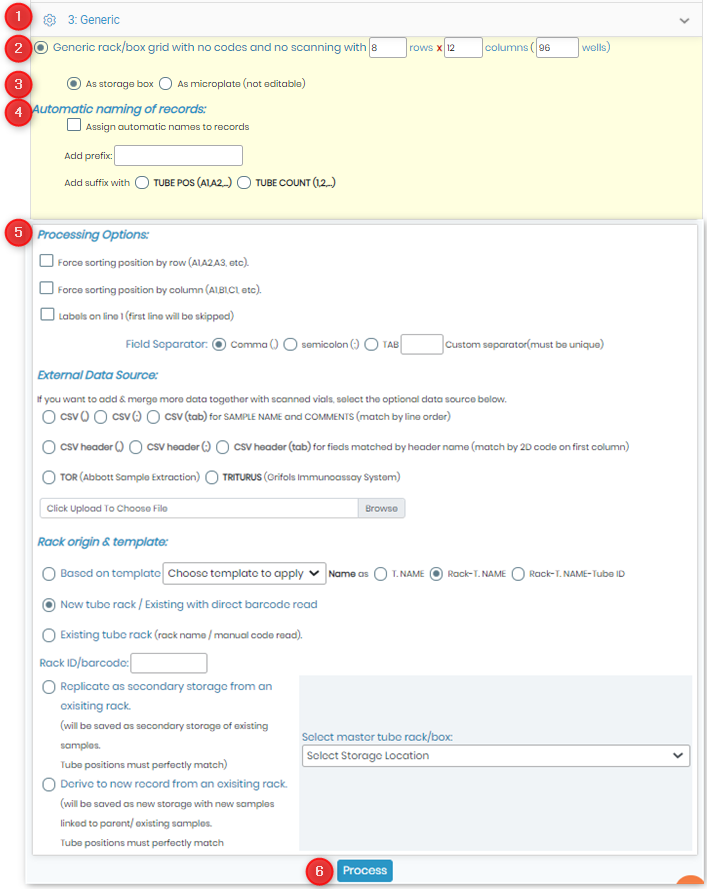
- Go to the “3.Generic” section.
- Indicate the rack/plate size (rows x columns).
- Choose to import as a storage box or microplate.
- Automatic naming of records can be chosen in this section.
- You can specify other choices in the “Processing Options” section.
- Click on “Process”.