10.4.2 File Import
It is also possible to import rack/box maps from files (scanner output, CSV or Excel).
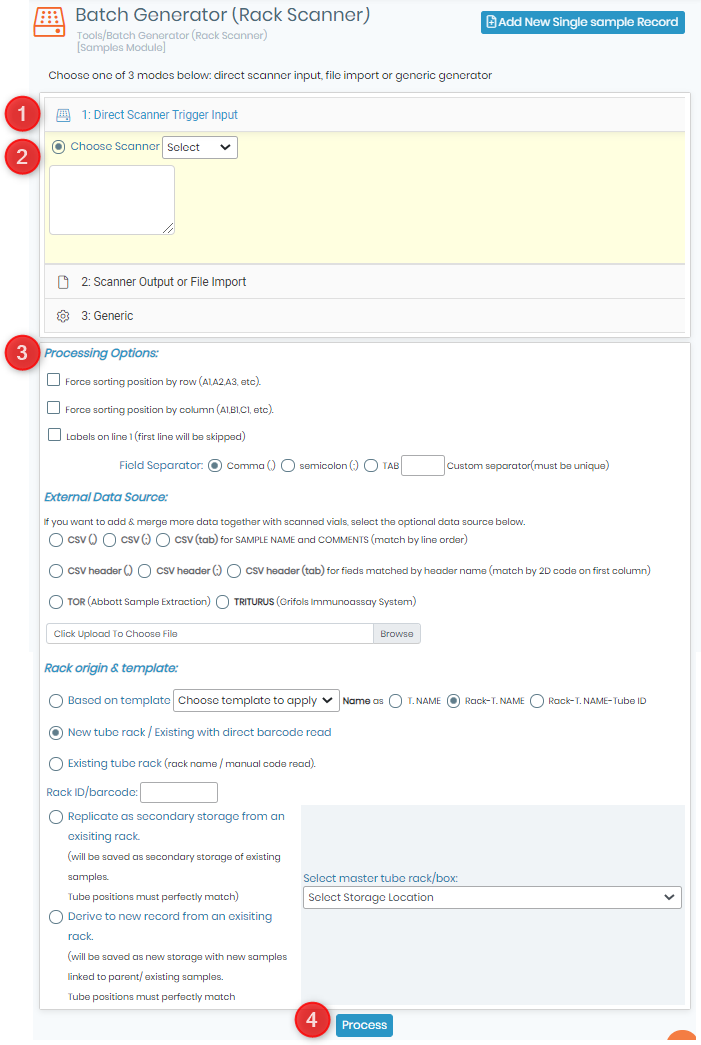
- Go to the “1.Direct Scanner Trigger Input” section.
- Choose the file to upload (TXT or CSV). Check the Field Separator option in “Processing Options” part.
- Choose your file format.
- Click on “Process” to complete the import.
All the steps are explained in our  KB: section :Scanning the rack.
|
|
|
This tool is compatible with many suppliers of precoded tubes and scanners including Micronic, BioMicroLab, FluidX, Thermo, Ziath, Biotillion Please see our |

