8.3 Automatic relation between records
From each record you can find related information/data concerning this record present in other modules.
Click on the Display all related records icon ( ), select the module in which you want to search and the prefix separator you used to list your data.
|
|
|
This function can be very practical to create and manage bio-banking but needs a special data organization using prefix separator. |

Here is an example:

Patient 1= 1
First sample derived from patient 1 = 1-T1. In this example, we chose the dash to separate patients and samples.
First result derived from patient 1 sample 1 = 1-T1/S1. Here the slash separates samples and results associated to this sample.
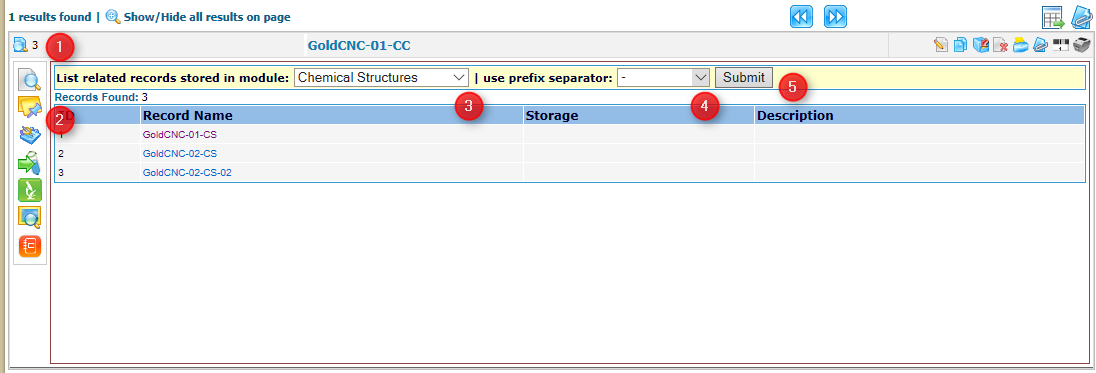
- Select record
- Display all related results tab
- Select module to find related records
- Select separator
- Submit
With this type of organization, a cross search with a well formatted request, you can find all related records from one module in a second module.