8.2 Search in each module
All modules are built in a similar way. The only difference is that the organization of the default fields reflects the specificity of data stored.
Please read our  KB: how to search data in LabCollector.
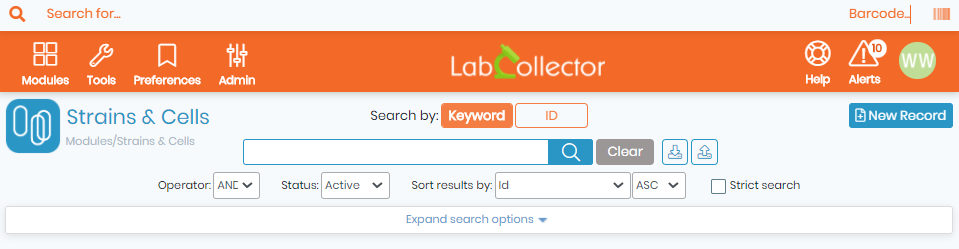
You can use none, one or several keywords separated by spaces. The search does not accept any logical operator. Select between the two operators AND/OR in the select list. You can refine the search with specific optional criteria (Expand Search Options).
The select list STATUS allows to filter on the record status: Active (by default), Read-only, Archived, and All.
To list all data, do a blank search.
Main default fields are presented as optional filters as well as owner and group data. Reagent & Supplies module allows filtering on lot entry.
- Storage filters are included: room, equipment, rack/drawer and box.
- Custom fields are included in the search if they have been defined as searchable. Custom list options are presented as additional optional filters if they have been defined as filters.
If you know the record number you can type it directly in the ID field to access the record directly.
Results are displayed as a list of one item per line with basic information. You can sort results as ascending or descending according to several criteria.
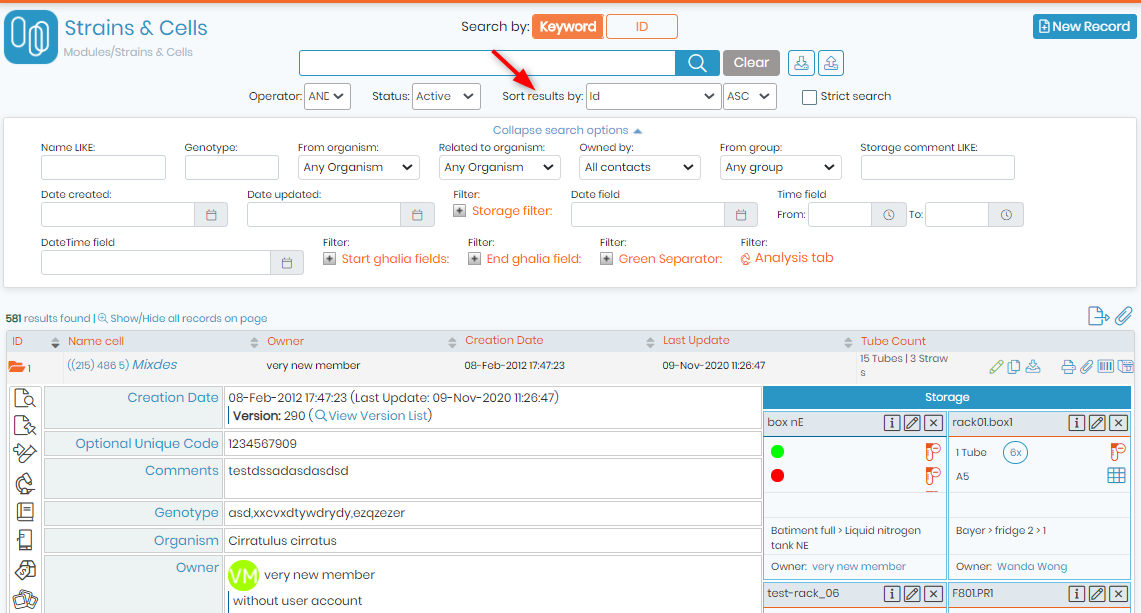
You can expand one or more items by clicking on the magnifier icon ( ) next to each item name. You can also expand all results on the page on the small magnifier icon (
 ) on top of the results page (“Show/Hide all results on page”).
Once expanded, you have all information available for the chosen item, including storage places, logs, etc. Data may be presented as sub-folders. You have access to additional information by clicking on the side icons (logs, secondary storage, lots, etc.).
|
|
|
Super-admin can change the number of results displayed per page. Go to Admin 🡪 Setup 🡪 General setting, logo, modules names and choose the number of results you want to see per page. |

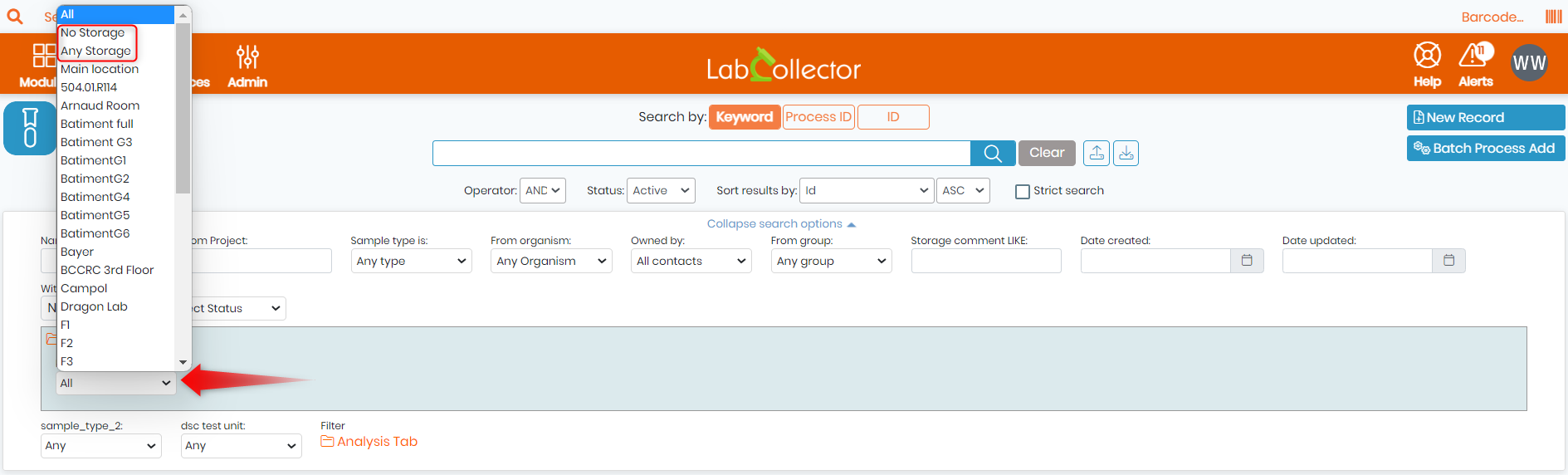
NEW! You can now filter records by storage, you can either choose "No storage": this option shows all the records that has no storage, or "Any storage": this option shows all the records that were attributed to any storage. (See screenshot below).
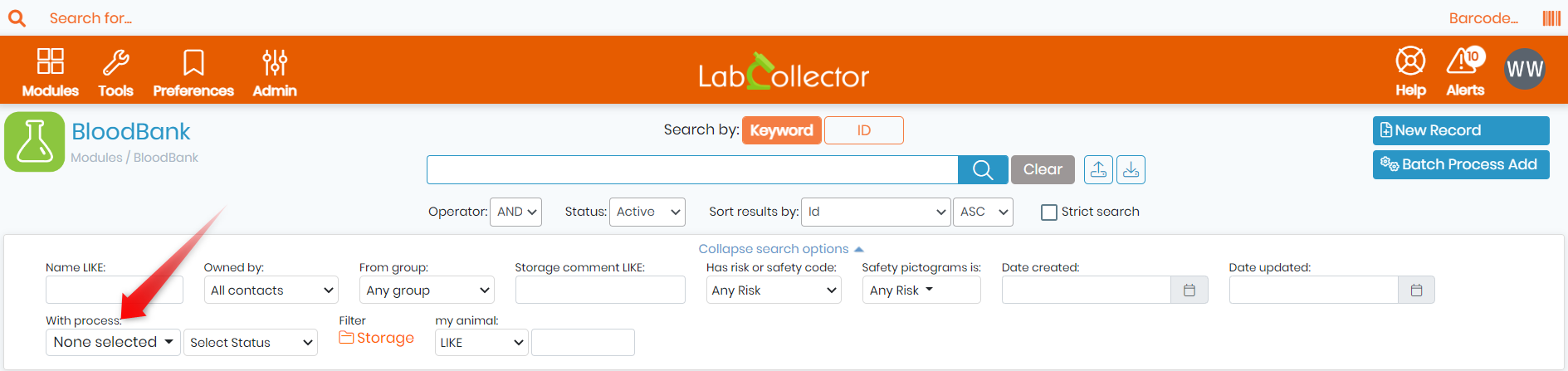
NEW! You can now filter records by process within custom modules for which the process tab was added. (See screenshot below).