3.1.7 Export and Print Setup & Models
This option is also available to the administrator level through the Preferences menu.
Models can be created to export and print data from any module. Use these models to export or print your result search in each module. This allows you to quickly create exports for frequently required reports or information.
You can read more about export in the  KB: Export print models
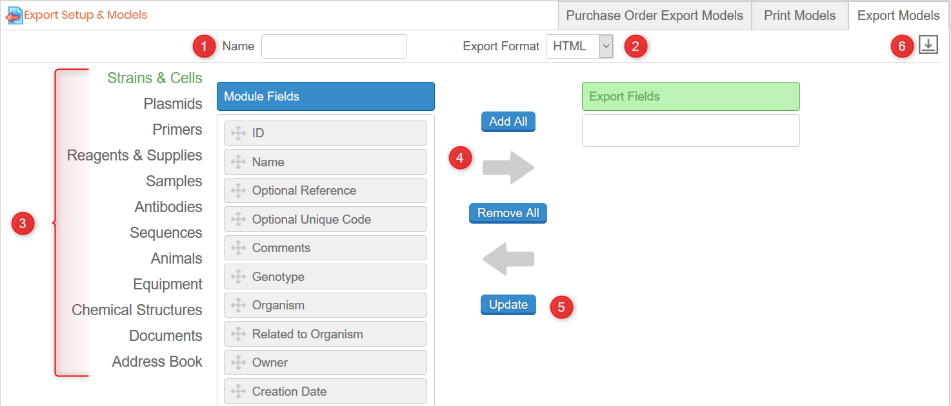
A few steps are necessary to create a model of export:
- Give a name
- Choose the file format
- Select the module where you want to create the export model
- Choose the fields with the button Add All, the arrow, or by dragging and dropping them in the Export fields column on the right.
- Save your model "UPDATE"
- To modify/upload a model click on
 .
.