2.3 Super administrator account
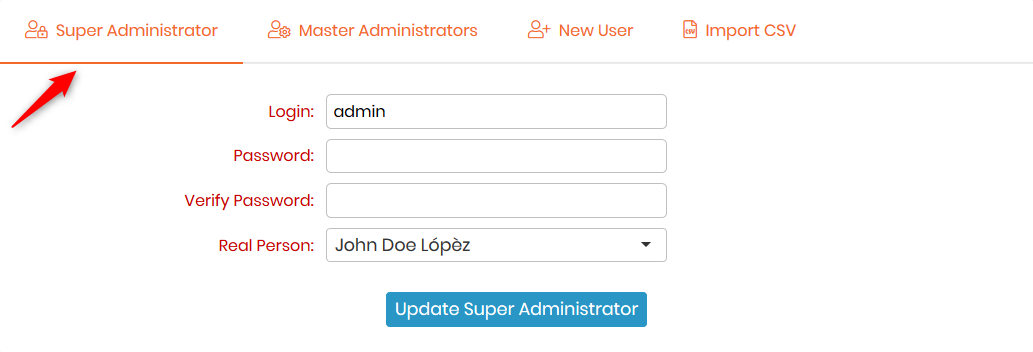
One of the first steps is to define the Lab member corresponding to the super-administrator and change the password of this account.
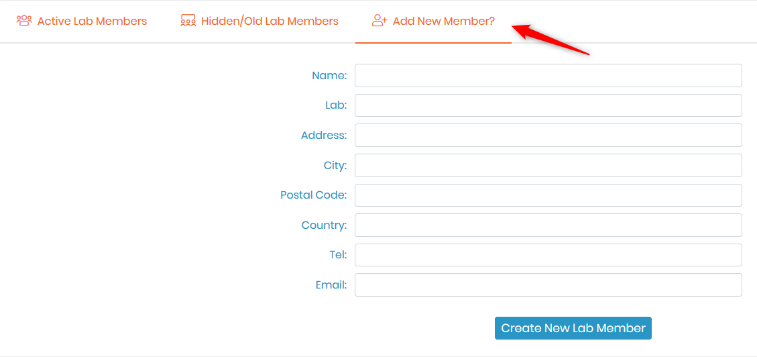
- Go to: Admin→Users & Staff→Manage Lab→Members→Add new member
- Fill in the form.
|
|
|
Don’t forget to fill in the email field to receive notifications. |

- Go to: Admin → Users & Staff → Manage Users
- Edit Super-Administrator login information, change the password, and associate the super-administrator to the corresponding staff contact (Real person).
|
|
|
Be careful about the password encryption mode used when you change your password. |