10.14 Memorized Searches
LabCollector  offers the possibility to memorize your searches, so that you can easily and quickly find what your colleagues have been searching. Down below is a screenshot of the memorized searches page accessible via Tools -> Memorized Searches.
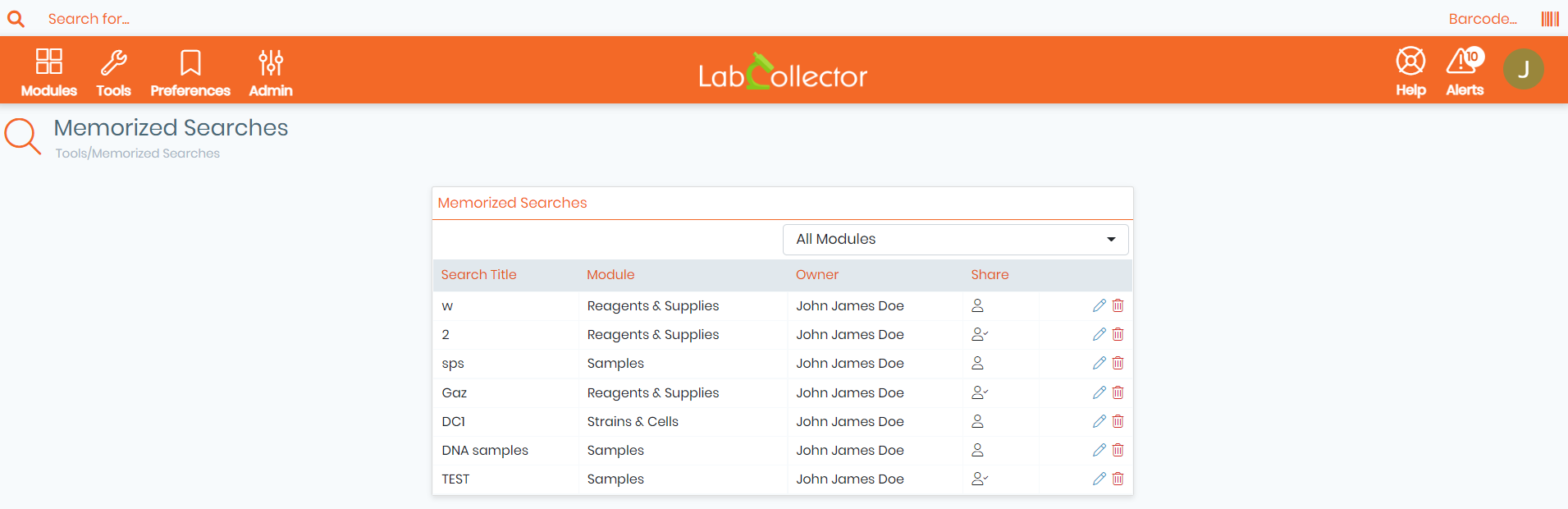
Here you will find a table with the search title, the corresponding module in which the search was performed, the owner, and share options.
- You can filter the results by selecting the module in which the searches were executed, by clicking on the tab located at the top right corner of the table.
- You can click on the pencil icon to
 edit your memorized searches, you have the option to edit the search title and/or the share options,you may select one of the 4 following share options.
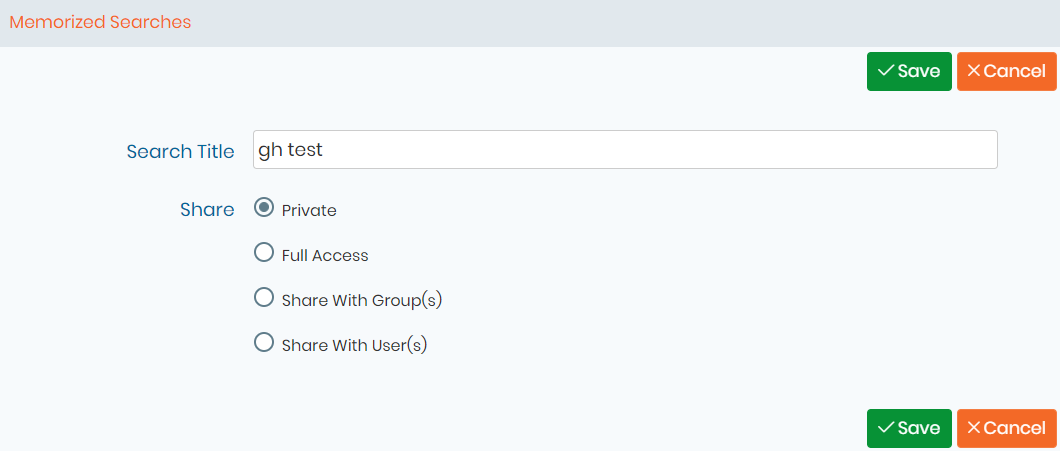
- You may set sharing your memorized search to private so that only the owner has access to it.
- Full access : All users can access the memorized search.
- You can also choose want to share it with certain group(s) or user(s).
- Click on the bin icon
 to delete a memorized search. A new tab will appear asking you to confirm the deletion. (See screenshot below).

- On the share column, you can see whether the search was shared with all other users
 (Full Access), Private
  (not shared, therefore only the owner can use it), with certain user(s)
  , or with certain group(s)
  .
.