5.2.2.11 Clipboard
|
|
|
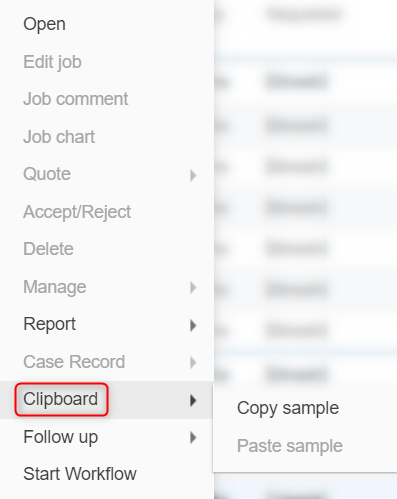
This option is only available on the test and sample level, you will have to go to a sample of your choice in order to copy it then go to a test (not necessarily the same one) for you to be able to paste it. |

To save time and improve productivity, you can copy and paste sample lines within your job list. Simply navigate to the Clipboard section and select the sample line(s) you want to copy. Once the sample line(s) are copied to your clipboard, you can navigate to the test level of any job and paste it. This will copy all the corresponding data of that sample, including any attached documents or custom fields, eliminating the need for manual entry and reducing the risk of errors.
For example, if you have a batch of samples that require the same testing parameters, instead of manually entering each sample line, you can copy and paste one sample line and all corresponding data to quickly generate the additional sample lines. This feature is particularly helpful when dealing with large batches of samples or when repeating testing parameters for multiple samples.