5.2.1.5 Export
Export option allows you export a CSV of selected job list or all jobs. You will see CSV in standard format, to separate the values into each column you need to delimit data.
Please read the Knowledge Base  KB: how to delimit data.
Once you download the CSV (without any options active) you will see the CSV like below example.
(After delimiting you will see CSV like below example image)
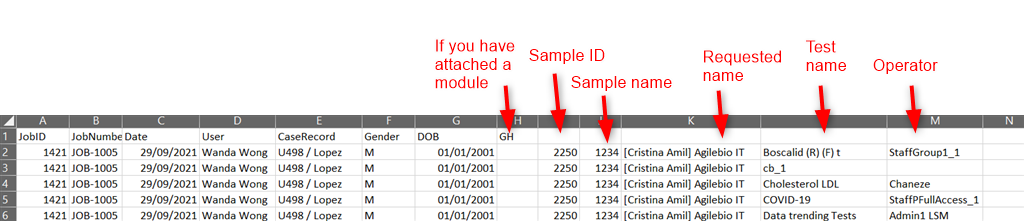
This option gives you possibility to also export 3 things:
- Include job additional data: You will see all fields under the job additional data when you create the job.
To add job refer to section 5.1.1
- Include sample additional data: You will see all fields under sample level when you create a job.
To add job refer tosection 5.1.2
- Include case record additional data: Here you will see case record information. It is the custom module for which you activate options by going to section 6.7.7 . You will have information about all custom fields in the custom module that you have attached as well as sample ID, name, requester, test name, operator and the batch name.