7.4.4 Volume deduction
An automatic remove volume option can be used if tube volumes quantities are defined.
|
|
|
To remove volume your tube should have only 1 per position or storage. If you have more than 1 tube , the volume option wont be seen. |

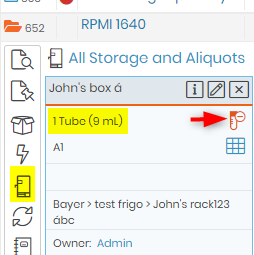
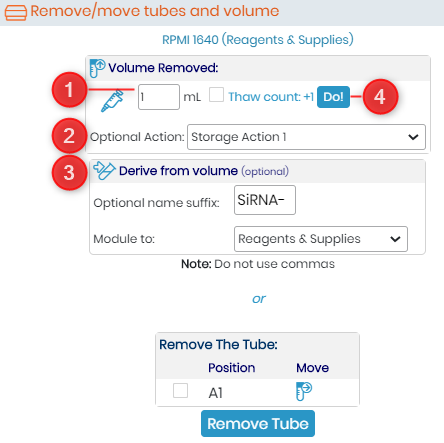
To use this option, you have to click on the remove tube icon  .You have then to fill in the form:
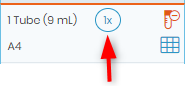
- Indicate the volume to remove. here you can also click on thaw count. This is to ensure for the chemicals or regents that get affected by continuously Freeze-thaw cycles. Checking the box will ensure to keep a count of thaw cycle. This will allow you to discard the constituent that has gone through many free-thaw cycles. If you check this box you will see the thaw icon like below image.
|
|
|
If you have decimals, please DO NOT USE commas. |

- You can choose an action relative to your deduction
- You can create a derive record based on this volume. A link will be create between both records.
- Click on Do! to validate.
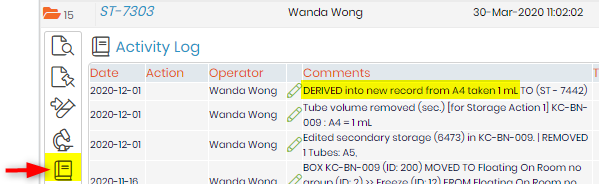
All the information is then summarized in the activity log of the record.
|
|
|
Activity log option is present only in some modules. |
